 Pixel Helper Guru
Facebook Pixel Not Working? How to Find and Fix the Problem
When the Facebook Pixel (now called the Meta Pixel) stops working, ads lose the data they optimize on. The cause is usually one of a handful of problems. Work through this checklist in order: each step rules out a group of causes before you move on.
First: check what the browser actually sends
Before changing any code, look at what the page really does. Open the site in Chrome with a pixel helper running. With Pixel Helper Guru, open the side panel and click Reload & capture. You'll see in seconds whether the pixel is there, which events fire, and whether each request was sent, blocked or failed. If you've never done this, our step-by-step testing guide walks you through it.
1. The pixel isn't detected at all
- The code isn't on this page. Theme changes, a new landing page builder or a checkout on another domain often drop the base code. Check the page source for
fbevents.jsorfbq('init'. - Google Tag Manager isn't published. A pixel tag that works in GTM Preview but not for real visitors usually means the container changes were never published.
- The tag only fires after consent. If a cookie banner holds marketing tags until the visitor accepts, the pixel won't load until you click Accept. That's often correct, but test both cases.
- The pixel ID is wrong. A typo or an old ID from another ad account means events go somewhere you're not looking. Compare the ID the helper shows with the one in Events Manager.
2. The pixel loads, but events are blocked or fail
- Ad blockers and privacy features. Ad blockers, privacy browsers and some antivirus tools block
connect.facebook.netandfacebook.com/tr. For a real share of visitors the browser pixel will never work; that's what the Conversions API is for. - Content Security Policy. A strict CSP header can stop the browser from loading Meta's script or sending its requests. The browser console shows "Refused to load…" errors.
- JavaScript errors. An error earlier on the page can stop the code that calls
fbq(). Pixel Helper Guru records tracking-related JavaScript errors so you can see which line broke.
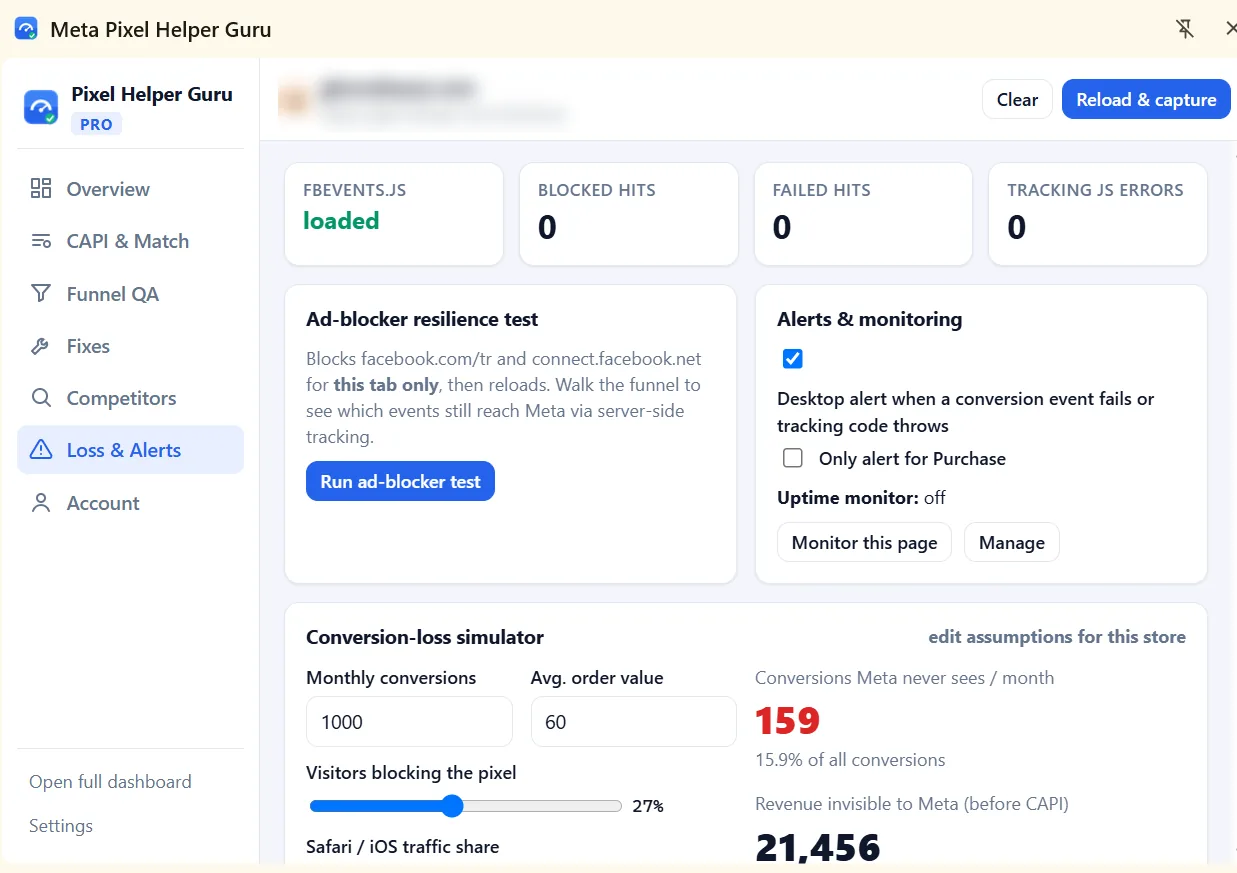
To measure how much this costs, the extension's ad-blocker test (Pro) blocks the pixel on one tab and shows which conversions still arrive through server-side tracking.
3. Some events are missing
- The event is tied to the wrong trigger. AddToCart that only fires on the product page button, not on the quick-add button in collections, is a classic.
- The thank-you page isn't reached. If payment happens on another domain (a payment provider) and the customer doesn't return, no browser Purchase fires. Server-side tracking closes this gap.
- Single-page apps. Sites that change pages without a full reload need to send PageView (and other events) on each route change.
- The event fires before the pixel is ready. Code that calls
fbq('track', …)before the base code has run can be lost.
Recording the whole journey on the Funnel QA tab shows exactly which step is missing an event.
Find the broken step in your funnel. Live event capture and funnel recording are free.
Add to Chrome, it's free4. Events fire twice
- The base code is installed twice, for example once in the theme and once by an app or GTM. Every event is then sent twice. A pixel helper shows the same pixel ID loaded more than once.
- Two integrations send the same event, such as a platform's built-in integration plus a manual Purchase snippet.
- Browser and server copies aren't deduplicated. If the site also sends events through the Conversions API, each pair needs the same
event_nameand the sameevent_id, or Meta may count the purchase twice. See the CAPI deduplication guide.
5. Events fire with wrong parameters
An event that fires with bad data can do more damage than a missing one, because it looks fine at a glance:
valueas text ("$64.00") instead of a number (64.00), or the total including shipping on one page and excluding it on another.- Missing or wrong
currency, which must be a three-letter code such asUSD. content_idsthat don't match your catalog, which breaks dynamic product ads.- Personal data sent unhashed through Advanced Matching, or not sent at all, which lowers match quality.
Pixel Helper Guru flags these in its health check, and the Fixes tab (Pro) gives the corrected code or the setting to change.
6. Events are sent, but Meta doesn't show them
- You're looking in the wrong place. Overview charts in Events Manager can lag. Use Test events for a live view.
- You're looking at the wrong dataset. Check that the pixel ID on the site is the one connected to your ad account.
- Domain or traffic filters. Check the dataset's settings for blocked domains or traffic permissions that exclude your site.
Once the helper shows clean events and Test events shows them arriving, your pixel is working. To keep it that way, the uptime monitor (Pro) checks your key pages on a schedule and alerts you if the pixel disappears after a theme or app change.